CES skills-only editions
AI Token Saver for CES
Two plugins help CES employees pick a suitable AI model and effort for each task, then save that guidance to their instructions. Both follow the CES Edu data rule and run on skills alone: no server, no MCP connection, no tools of their own.
AI Token Saver (ChatGPT Only)
For staff and faculty who do all their AI work in ChatGPT Edu, such as advisors, coordinators and instructors new to choosing models. It recommends a ChatGPT model and effort from the ChatGPT Edu Model Guide, adds that guidance and the CES data rule to your custom instructions, and can add an optional refresh task.
AI Token Saver (Multiple Platforms)
For developers, analysts and power users who switch between ChatGPT Edu, Codex, Claude, Gemini/Antigravity, Grok or other apps. It asks which platforms you use, recommends a model for each one from the AI Model Value Map, and sets up the same CES data rule on every selected platform.
Setup guides
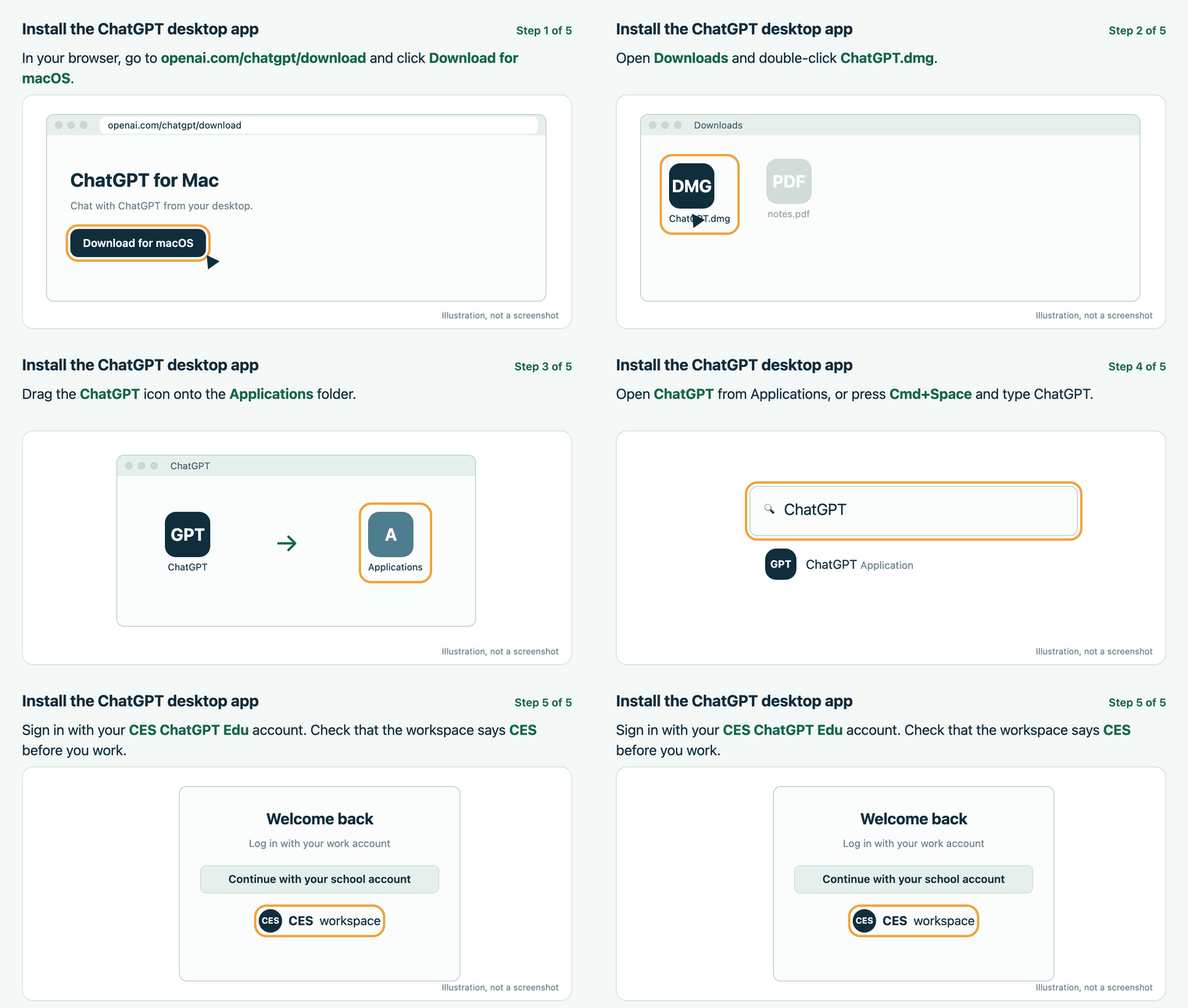
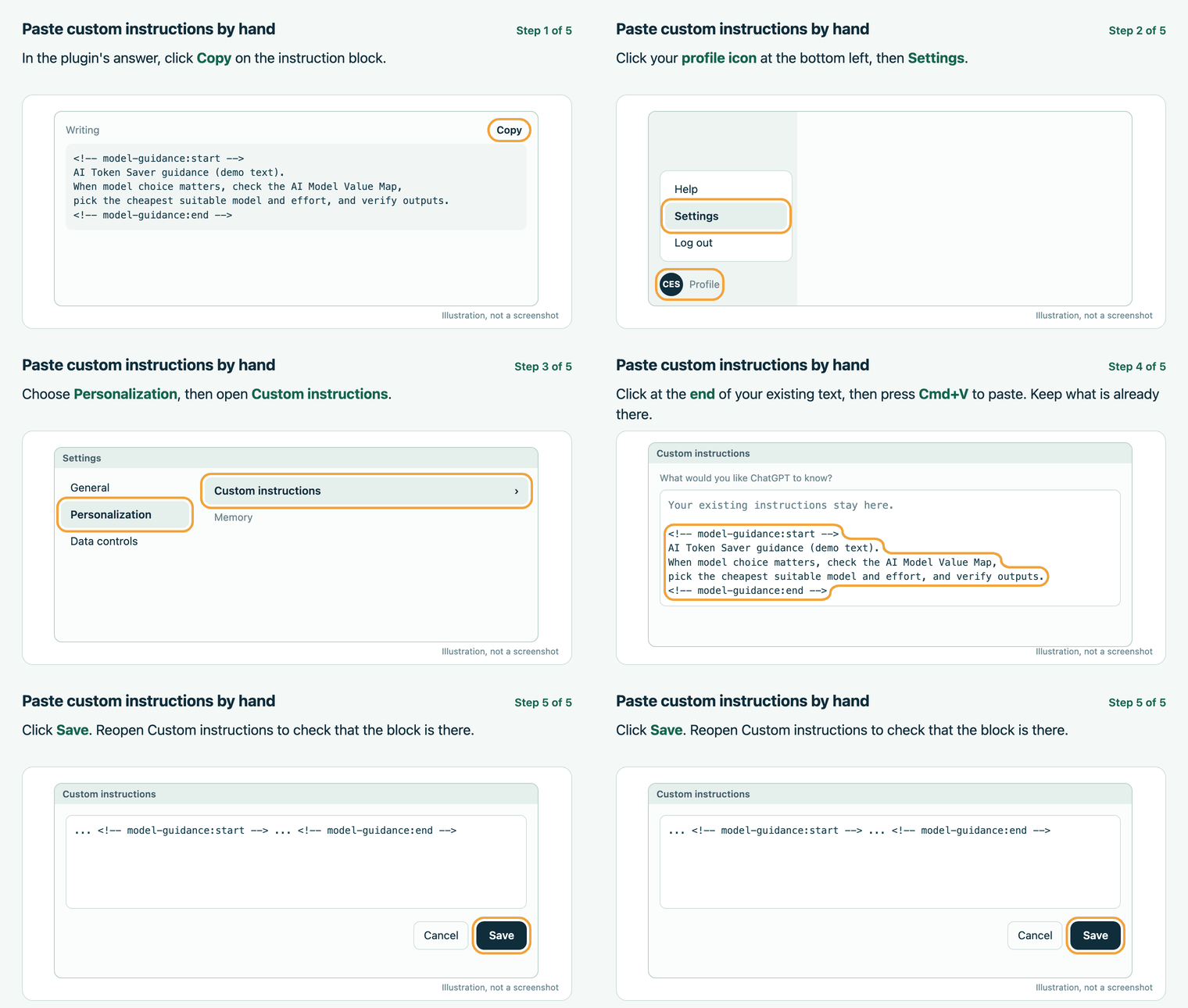
How the advice is made
Recommendations come from the public AI Model Value Map, which publishes dated picks with a Revision code. The plugin reads that guide when you ask, cites the Revision it used, and labels a packaged dated copy as a fallback when the live guide is unreachable. It never switches your model for you.
CES data rule
Student FERPA data, data containing sensitive institutional information, and personally identifiable information (PII) must only be processed in ChatGPT or Codex while signed into the CES ChatGPT Edu account.
On Claude, Gemini/Antigravity, Grok and other apps, the plugin limits setup to non-sensitive work.